 TALK
Conversations that connect
Individual and group messaging, files and daily coordination.
One platform. One team. All your workplace tools in one digital ecosystem.
Request a demonstration ↗ Explore solutions ↓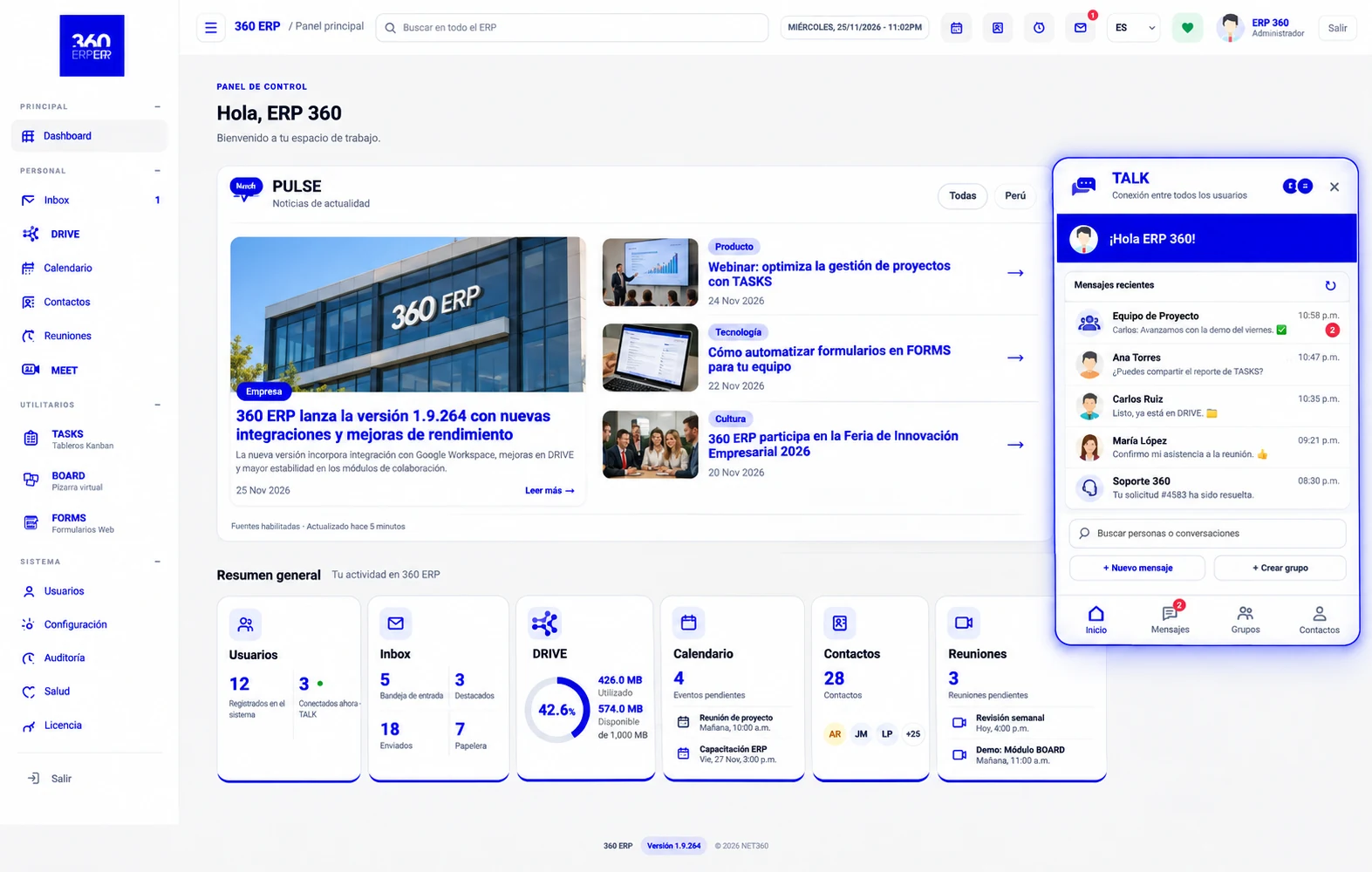 360 ERP / DASHBOARD + TALK
360 ERP brings together the tools people need to communicate, organize and access information. A business environment that puts teams at the heart of digital transformation.
Explore the interfaces of 360 ERP version 1.9.264. Select a view or enlarge the image to discover its details.
Individual and group messaging, files and daily coordination.
Request a demo ↗TALKIndividual and group messaging, files and daily coordination.
 MY DRIVE
Private and shared files, storage management and suspicious indicator analysis.
 MEET
Schedule meetings and invite participants through Google Calendar and Google Meet.
 TASKS
Kanban boards, assignees, deadlines, checklists and project tracking.
 BOARD
Shared digital whiteboards for diagrams, ideas and visual planning.
 FORMS
Public forms, surveys, questionnaires, QR codes and response management.
 PULSE
News wall and external feeds within your workspace.
Inbox, calendar, contacts, global search, profiles and permissions, customization and system diagnostics.
Discover the system ↗Reduce information fragmentation and improve coordination across departments. Organize responsibilities, share knowledge and support on-site, remote and hybrid work.
Scattered information and multiple work environments.
One centralized space to coordinate people and information.
360 ERP offers a Spanish and English interface to support local and international teams.
Integrated applications and an extensible technology foundation with PHP 8.2 and relational storage.
Responsive interface and progressive web app installation on compatible devices.
Google Calendar and Meet through OAuth 2.0, SMTP notifications and RSS news feeds.
Roles, permissions, sessions, private storage and encryption of selected credentials with libsodium.
Integrations require configuration. The file analyzer is a complementary measure, not a replacement for antivirus software.
Virtual meetings
Events and invitations
Compatible installation
Email notifications
News and updates
Spanish and English
External integrations require configuration and appropriate permissions.
Organize communication and daily work.
Coordinate departments and teams.
Manage projects, forms and collaboration.
Plan deliverables and share documentation.
Coordinate activities and resources.
Work from different locations.
Explore the interfaces through a guided tour. Screenshots contain demonstration data; this is not a live ERP session.
Browse news and activity summaries.
Find recent conversations and work groups.
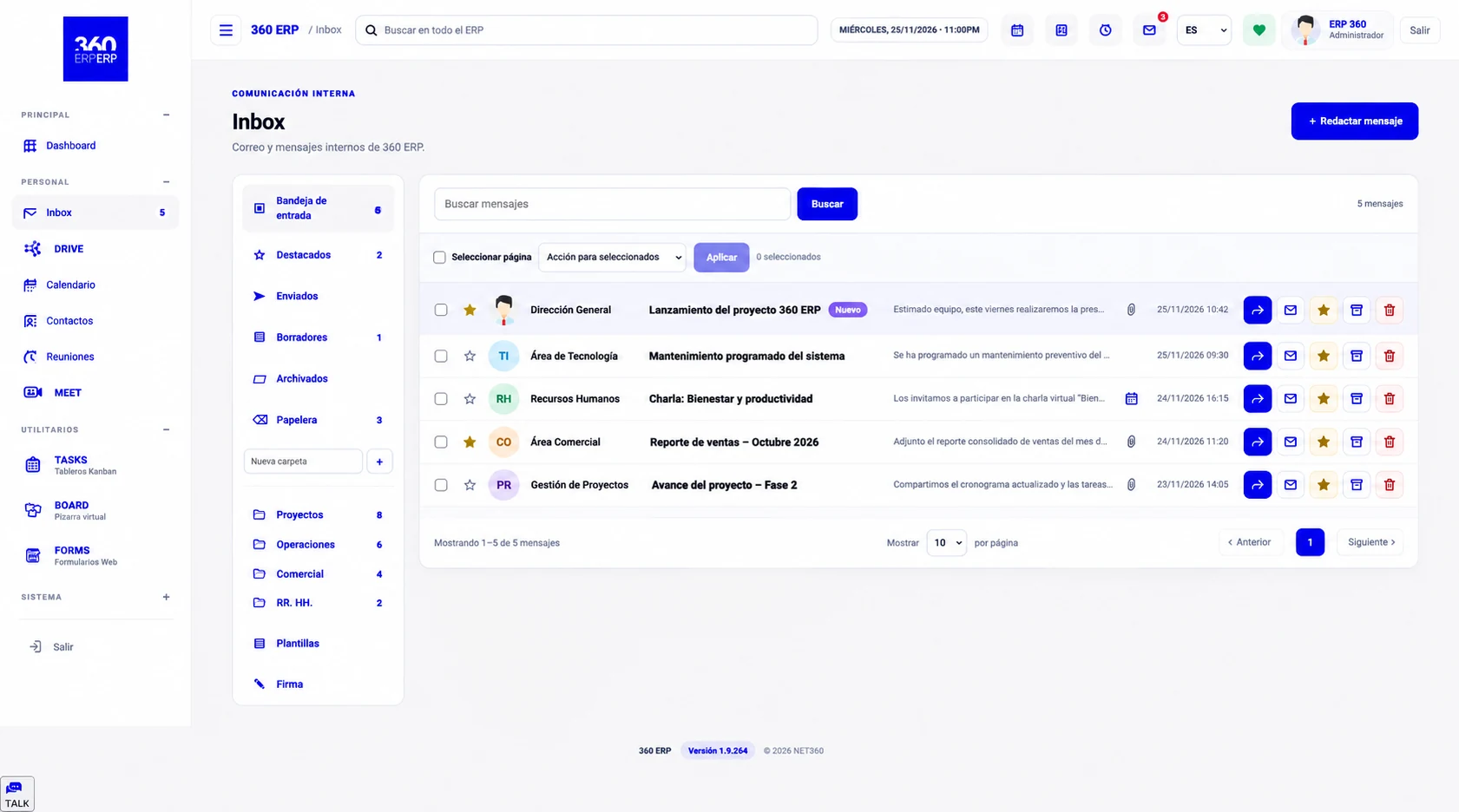
Organize messages using folders and quick actions.
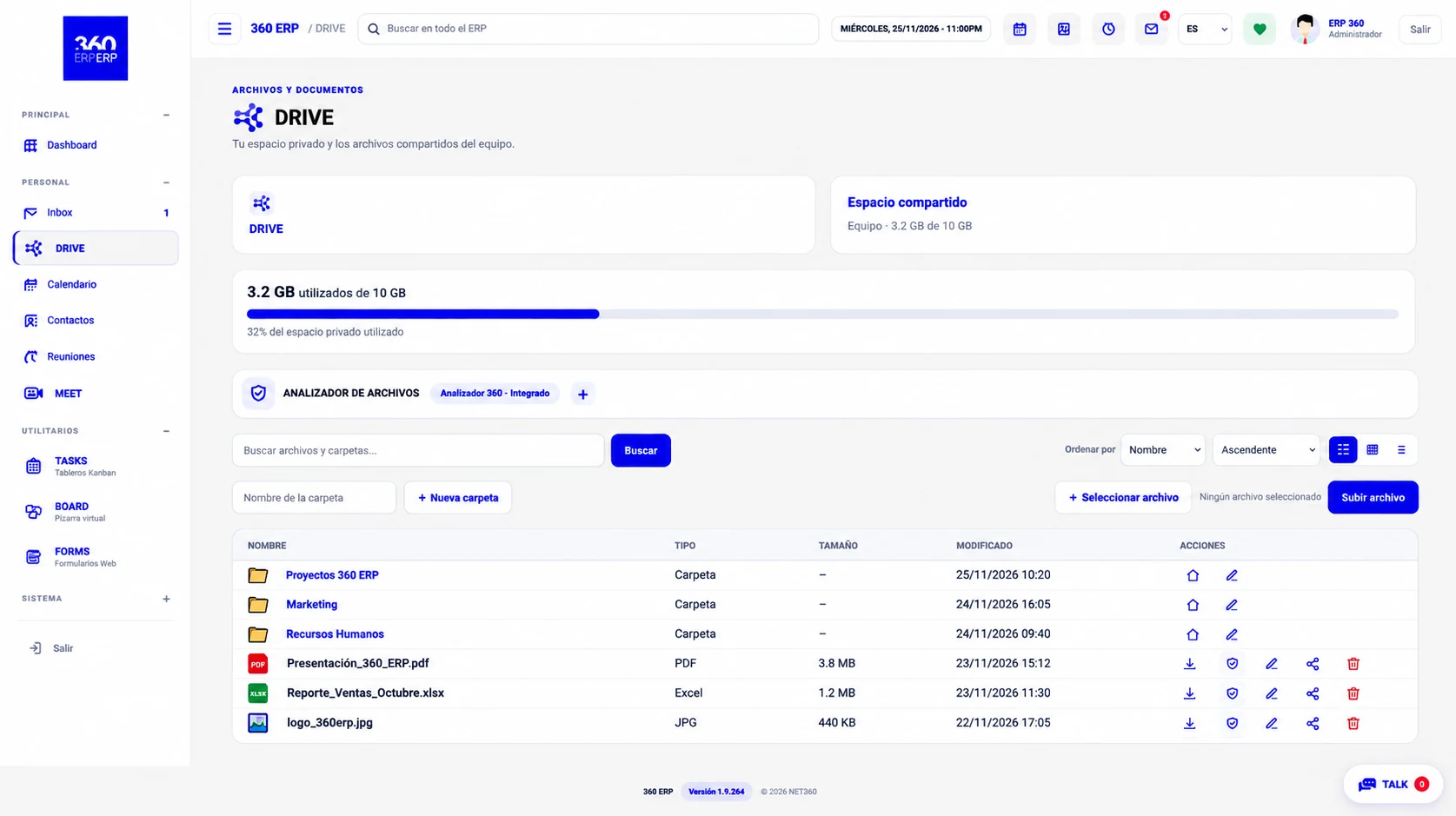
Check storage and organize documents.
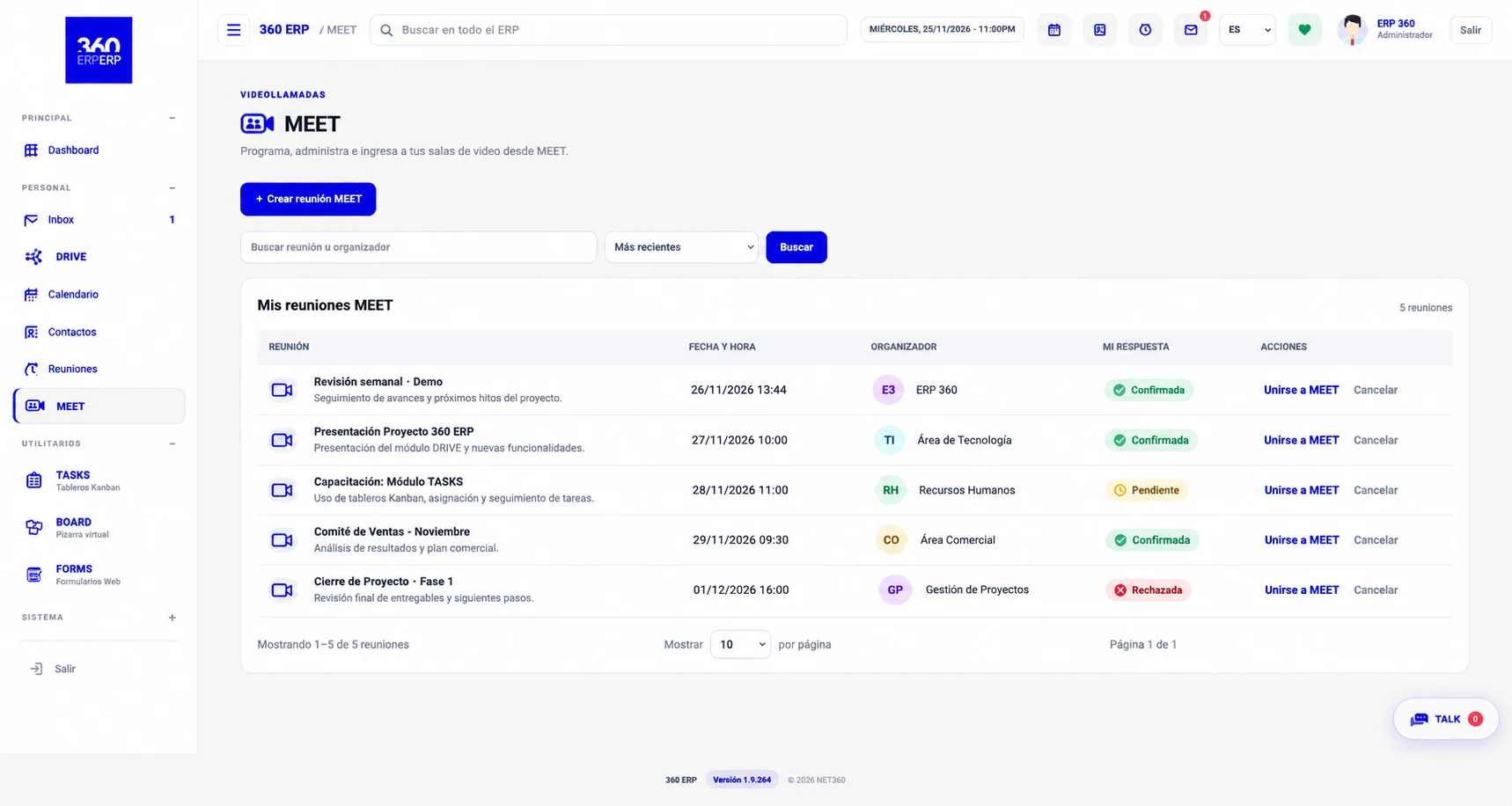
Review meetings, invitations and response status.
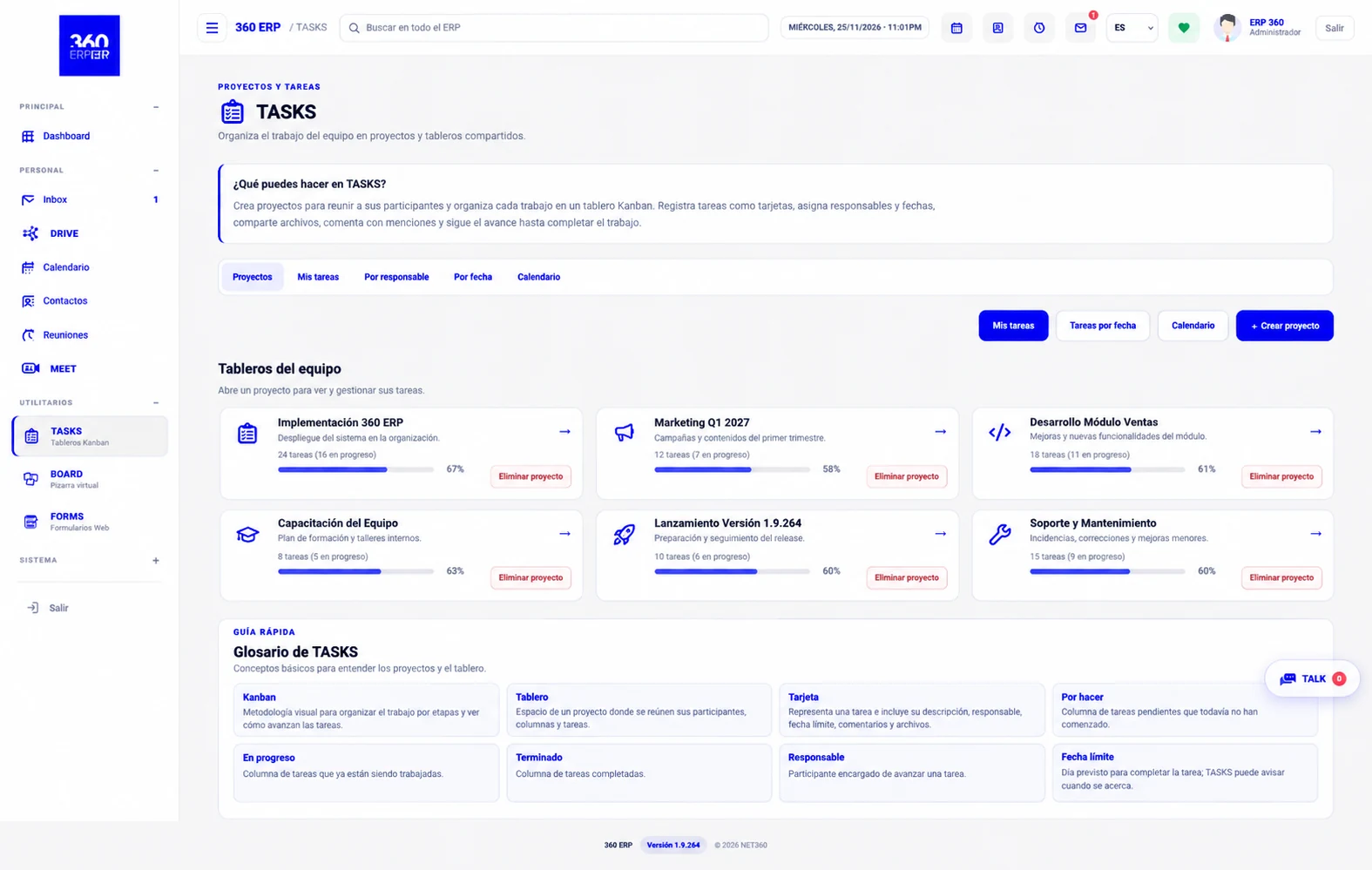
Review project progress and assignees.
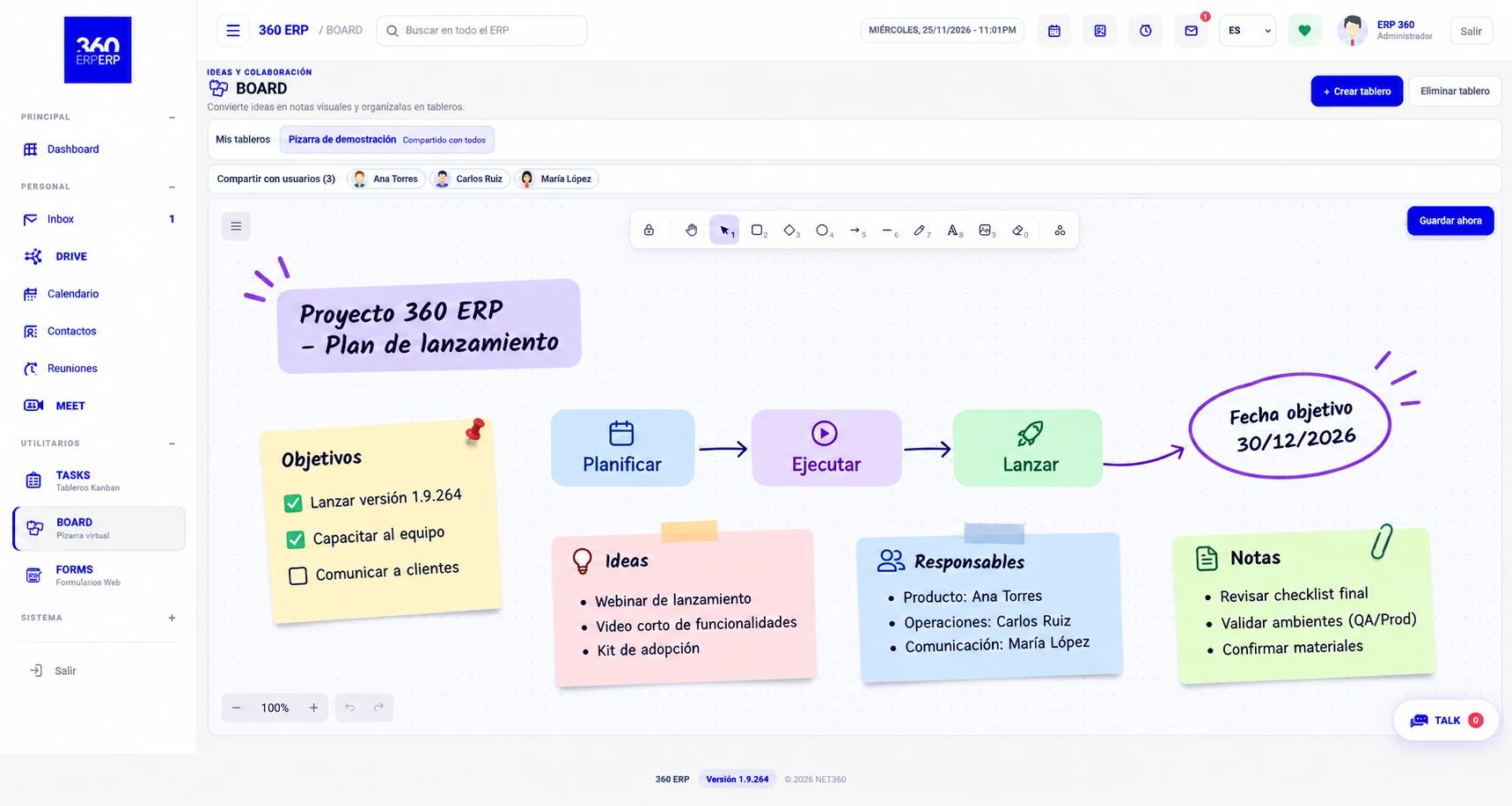
Organize ideas using notes and diagrams.
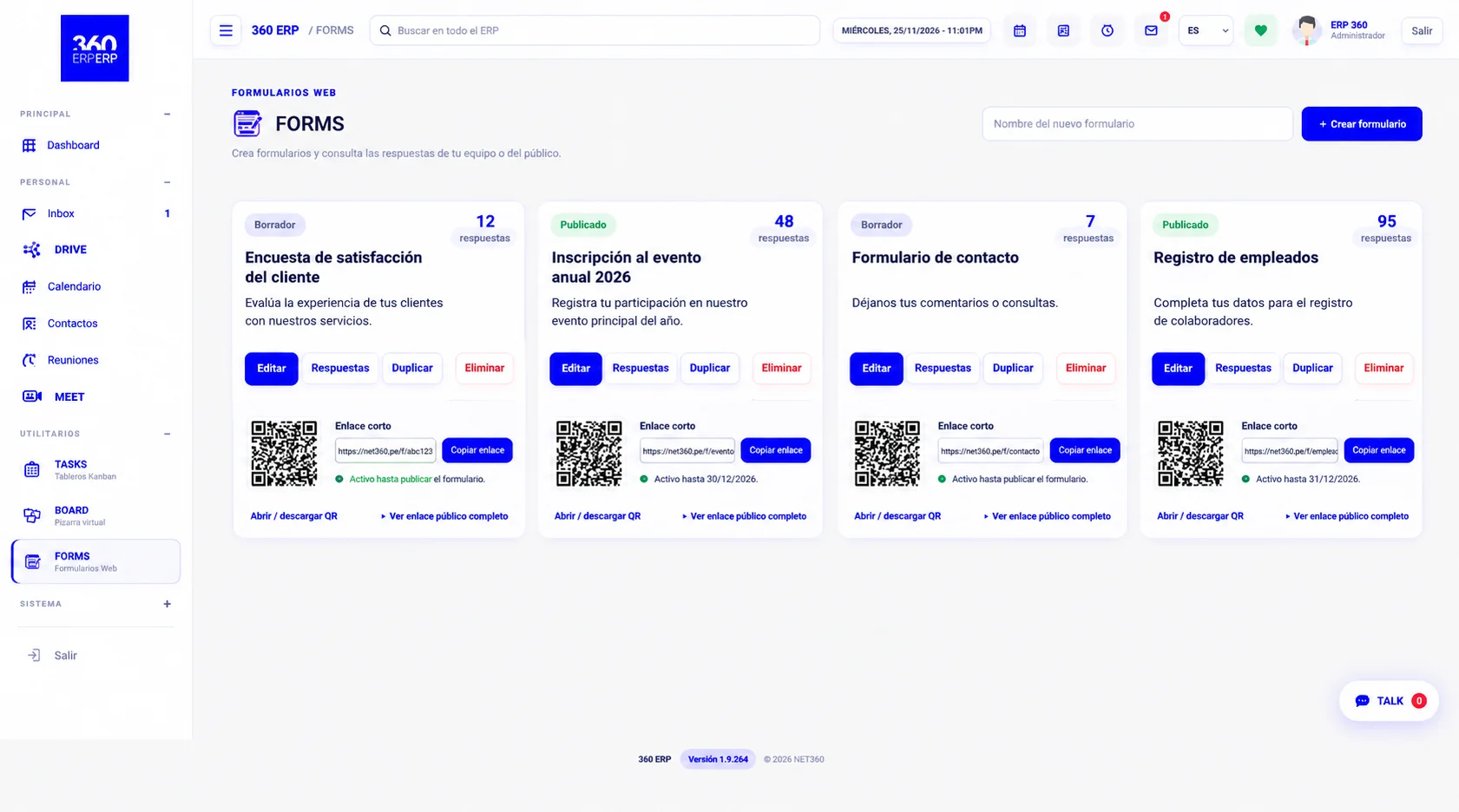
Review forms, responses and sharing options.
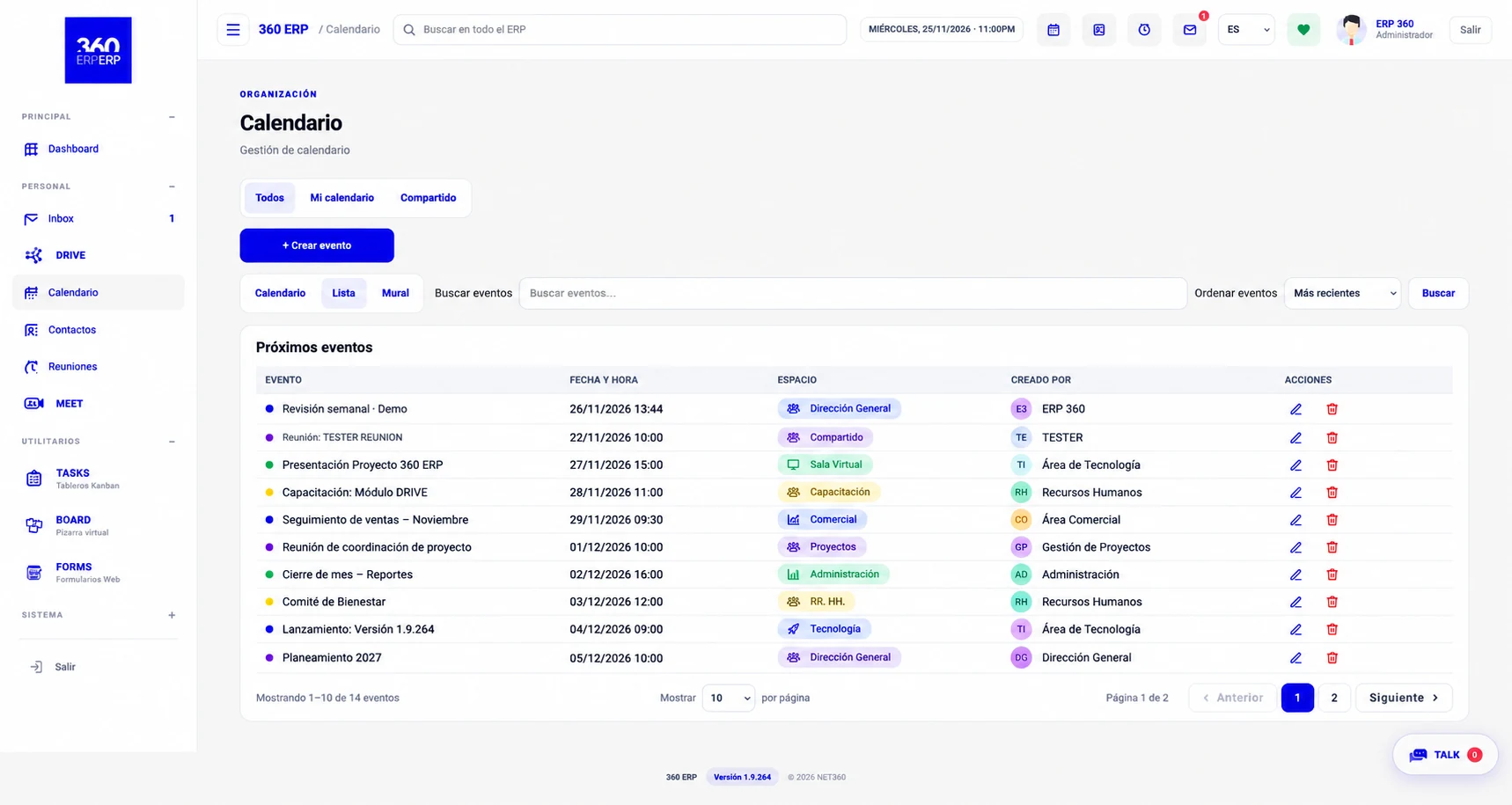
Review personal and shared events.
Illustrative business scenarios.
Plan campaigns in BOARD, assign tasks in TASKS and share deliverables in DRIVE.
Coordinate meetings, centralize documents and collect requests through FORMS.
Combine TALK, MEET and the calendar to coordinate daily work.
Organize activities, surveys and shared materials.
Discover how 360 ERP can transform the way your organization communicates, organizes and works.
Have another question? Let's talk ↗An ERP (Enterprise Resource Planning) platform integrates organizational management and resources. Its purpose is to centralize information, facilitate coordination and improve decision-making.
360 ERP is a digital business workspace that puts people at the center of management. It focuses on internal communication, organization, productivity and team collaboration.
It integrates messaging, private and shared documents, projects, digital whiteboards, forms, meetings, news, calendar, contacts and user administration in one environment.
It helps move fragmented processes into a centralized digital workspace where teams can access information, coordinate activities and organize responsibilities.
It is designed for small and medium businesses, corporations, educational institutions, consultancies, associations and on-site, remote or hybrid teams.
It helps organize tasks, assign owners, set deadlines, share documents and hold conversations in a common environment, reducing the need to switch applications.
It includes profiles, roles, permissions, private and shared file spaces, activity logs and diagnostic tools. Analyzer 360 identifies potentially suspicious file indicators as a complementary preventive measure.
Its modular architecture supports new features and changing needs. User and storage capacity depend on the infrastructure and configuration of each deployment.
Yes. Access it through a compatible browser and, where available, install it as a progressive web app on computers and mobile devices.
The 360 ERP interface is available in Spanish and English, supporting local and international teams.
Yes. Corporate branding, visual settings and access administration help adapt the environment to your organization.
MEET organizes meetings through Google Calendar and Google Meet, after the appropriate credentials and permissions have been configured.
Request a personalized demonstration to explore its applications, discover its capabilities and assess how it fits your organization.
Request a personalized demonstration and discover the potential of 360 ERP.
www.net360.pe ↗